Friday, September 23, 2011

Viber 2.0 Adds Free Text Messaging

Viber, an iPhone application that lets you make free phone calls to other Viber users, has been updated with free text messaging.

Viber is an iPhone application that lets you make free phone calls and send free text messages to other iPhone users that have Viber installed. When you use Viber, your phone calls to any other Viber user are free, and the sound quality is much better than a regular call. You can call any Viber user, anywhere in the world, for free and now also text them


What's New In This Version:

1. Viber now has free text messaging!
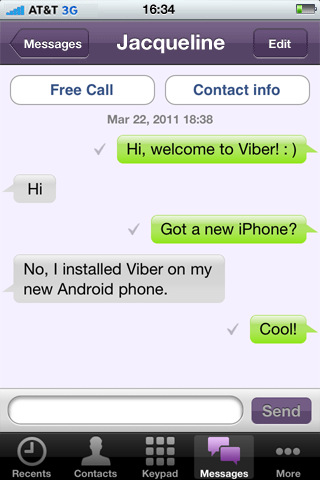
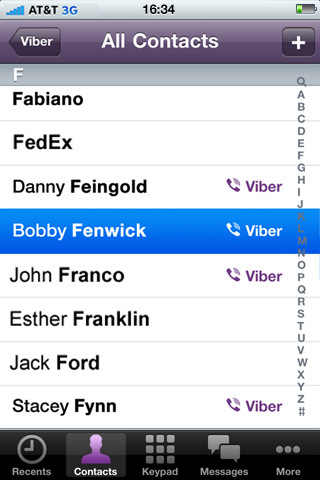
Send and receive free text messages to and from all your Viber contacts. We've added a new tab called Messages. To send a text, simply select a contact from your list, and start texting for free.
● New "Free Text Message" button added to Viber contact details. Tap this button to send this user a free message.
● Viber will also notify you about incoming messages so you won't miss a word single text.

2. Favorites tab location changed
To view your 'Favorites' - go to the contacts tab, and tap the Favorites button at the top.

3. Improved calling mechanism
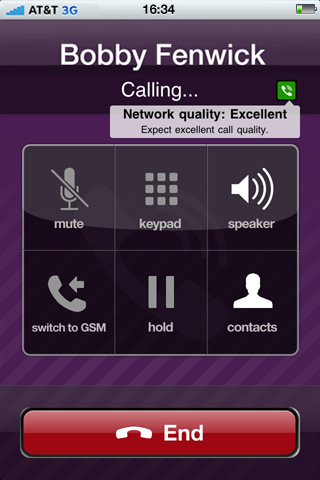
Now, you'll always know the status of your outgoing calls.
Once a call is placed, a "Calling" state will indicate that Viber is now connecting to the other party.
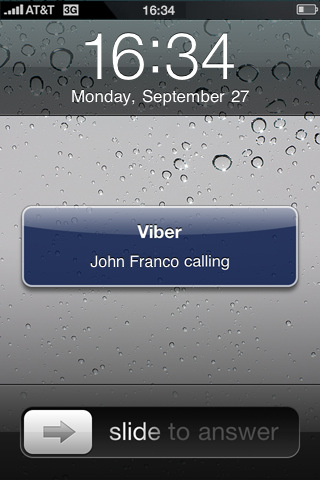
Once a connection is established, a "Ringing" state will indicate that the other party's Viber, is now actually ringing (note that a call can still be established even if you don't see the "Ringing" state).

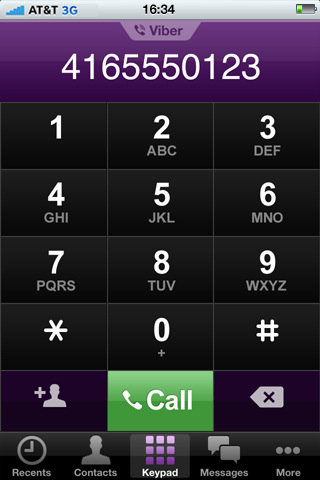
4. Placing regular calls through Viber
A "Don't show again" option was added for to the "Place a regular carrier call" inform dialog.

5. Giving You More Control
A new option provides the ability to deactivate your Viber account, so that you can easily reactivate Viber with a new phone number.
Find this option under the 'More' menu.

You can download Viber - Free Phone Calls from the App Store for free.


Thursday, September 22, 2011

Mobile Gmail Gets Multiple Sign-In Support

Multiple sign-in support
Just like on your desktop, you can now to sign into multiple accounts simultaneously. To sign into an additional account, click on the account switcher at the bottom of the threadlist, then click ”Sign into an another account.” You can quickly switch between accounts by selecting the desired account from the Accounts menu.


Mobile-specific signature
We know that autocorrect and other mobile spell-checks can be frustrating as you are typing on the go. Let your friends know that you are responding via your mobile phone so that they understand why you might have sent a message that you are meeting for "monitors" and not "mojitos". It's an easy way to make them understand why your message might be short or have a few typos. To create a mobile signature, from the menu view, press the new settings icon, choose your signature, and then check the box that tells us you want to activate it. If you ever want to disable the mobile signature, you can uncheck the box and we will use your desktop signature instead.

Vacation Auto-Responder
Ever forgotten to set your out-of-office auto-reply in Gmail before going on a trip? You don’t have to worry about that anymore, since you can now set your auto-reply using the mobile interface. Simply choose a start and end date and specify your message, just like on the desktop interface.


As part of added multiple sign-in support, we’ve updated URLs so that each account can have a separate bookmark. For those who have previously bookmarked Gmail for Mobile, please update your bookmark. If you haven’t, now is a great time to head to mail.google.com on your smartphone or tablet browser and add a bookmark to your home screen.

Wednesday, September 21, 2011

Google+ Hangouts is Coming Soon to iOS

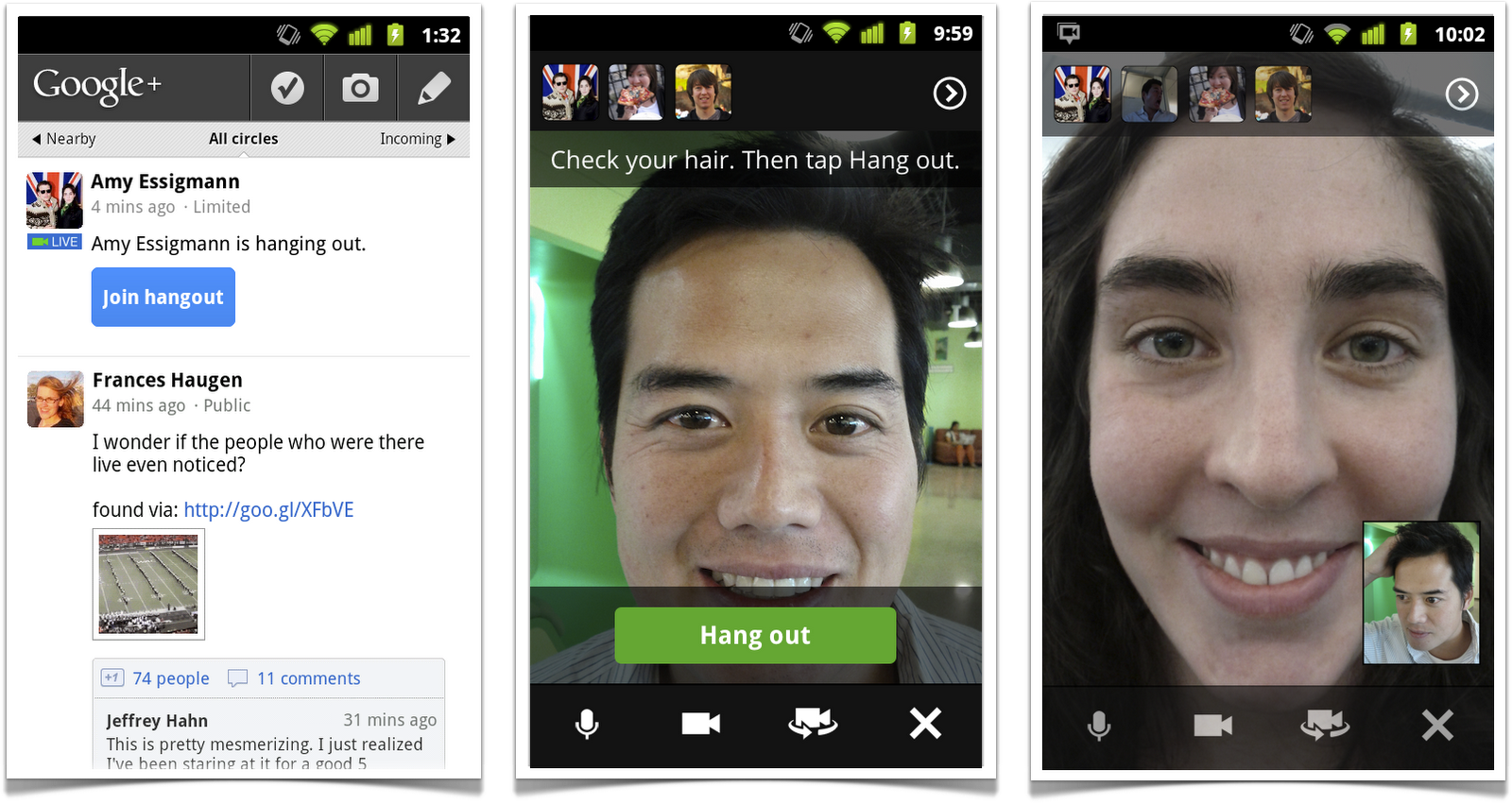
Hangouts on your phone
Today we're launching it on the one device that's always by your side: your mobile phone. To get started, simply find an active hangout in the Stream, and tap "Join":

Hangouts currently supports Android 2.3+ devices with front-facing cameras (and iOS support is coming soon). The new mobile app is rolling out to Android Market today, so you can start hanging out at any time, from just about anywhere.


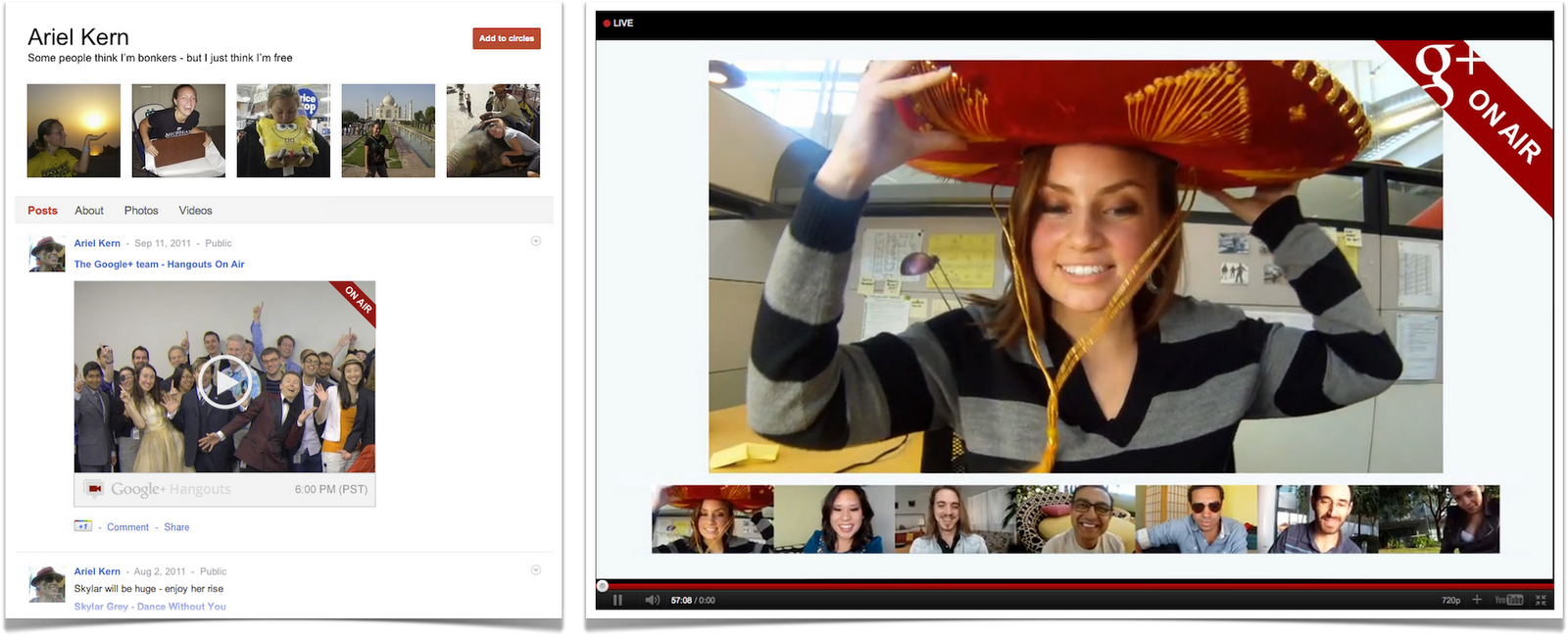
Hangouts On Air
Sometimes you want to speak to a large audience, or alternatively, view as a spectator. In these cases a public broadcast is what's needed, so today we're introducing Hangouts On Air.

The setup is simple enough: just start a normal hangout, and you'll have the option to broadcast and record your session. Once you're "On Air," up to nine others can join your hangout (as usual), and anyone can watch your live broadcast.


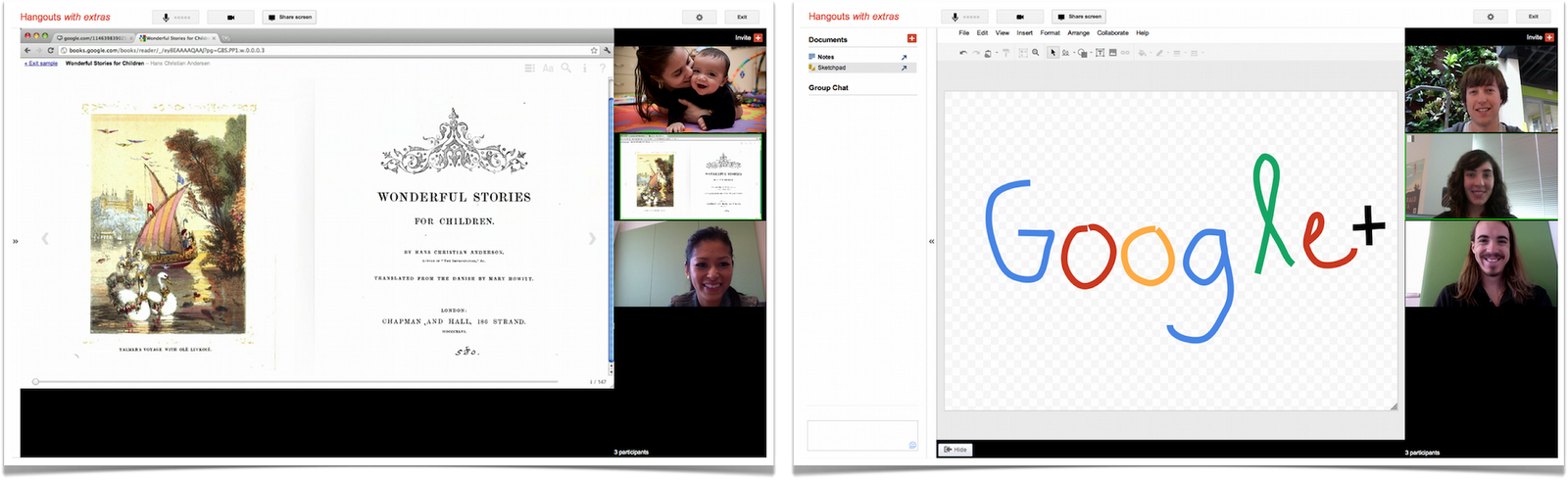
Hangouts with extras
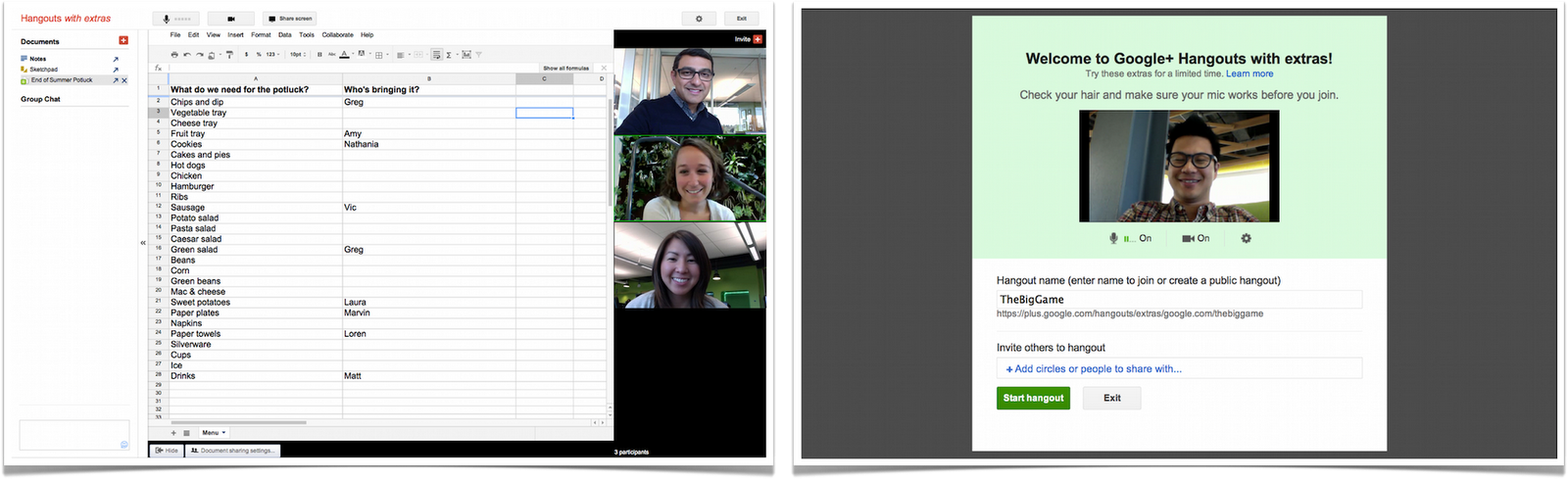
We're previewing some extras, including:
● Screensharing: for when you want to show off your vacation photos, your high score, your lesson plan or whatever else is on your screen
● Sketchpad: for when you want to draw, doodle, or just scribble together
● Google Docs: for when you want to write, plan or present something with others
● Named Hangouts: for when you want to join or create a public hangout about a certain topic (like fashion or music or sports...)


Hangouts APIs
We're also releasing a basic set of Hangouts APIs. If you're a developer who wants to build new kinds of apps and games (and who-knows-what-else), then you can find more details on the Google+ platform blog.

Search in Google+
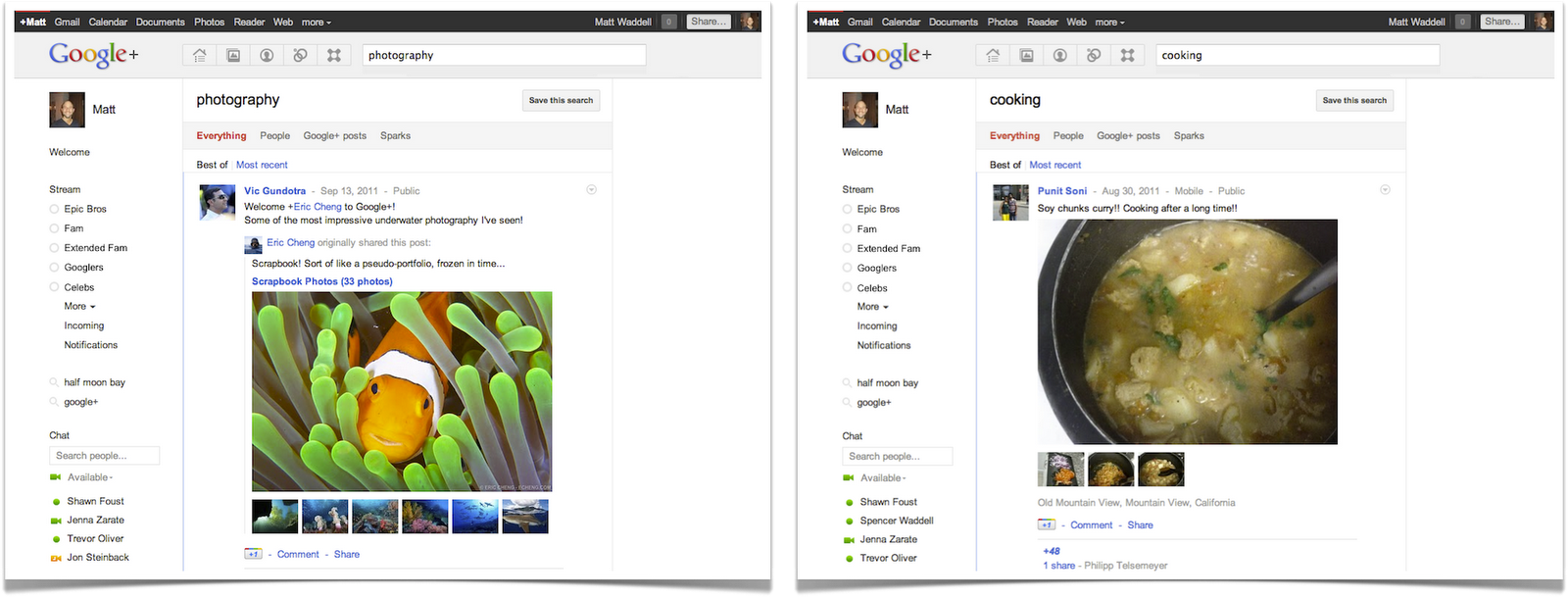
Today we're bringing Google's search expertise to Google+. Just type what you're looking for into the Google+ search box, and we'll return relevant people and posts, as well as popular content from around the web.

+Everyone
Anyone can sign up for Google+-no invitation required.

Read More